
WordPress powers 4 in every 10 websites worldwide
Nearly 60% of sites using a content management system (CMS) are built with WordPress (W3Techs, September 2026). If yours is one of them, you no longer need to copy and paste code to sell your activities online: the official Explorates plugin adds a booking module to your pages in just a few clicks!Your customers book and pay without leaving your site
Visitors choose their date, the number of participants and pay online, directly on your page in a fully secure environment. The booking then appears in your Explorates dashboard, on the same calendar as your other sales channels.Install the plugin in 3 steps
- In WordPress, go to Plugins > Add New, search for "Explorates Booking", then install and activate the plugin.
- Open the Explorates menu, enter your organisation ID (Settings > General Information in your Explorates dashboard) and click "Test connection".
- Insert the Explorates Widget block into a page, choose your product — and you're done.
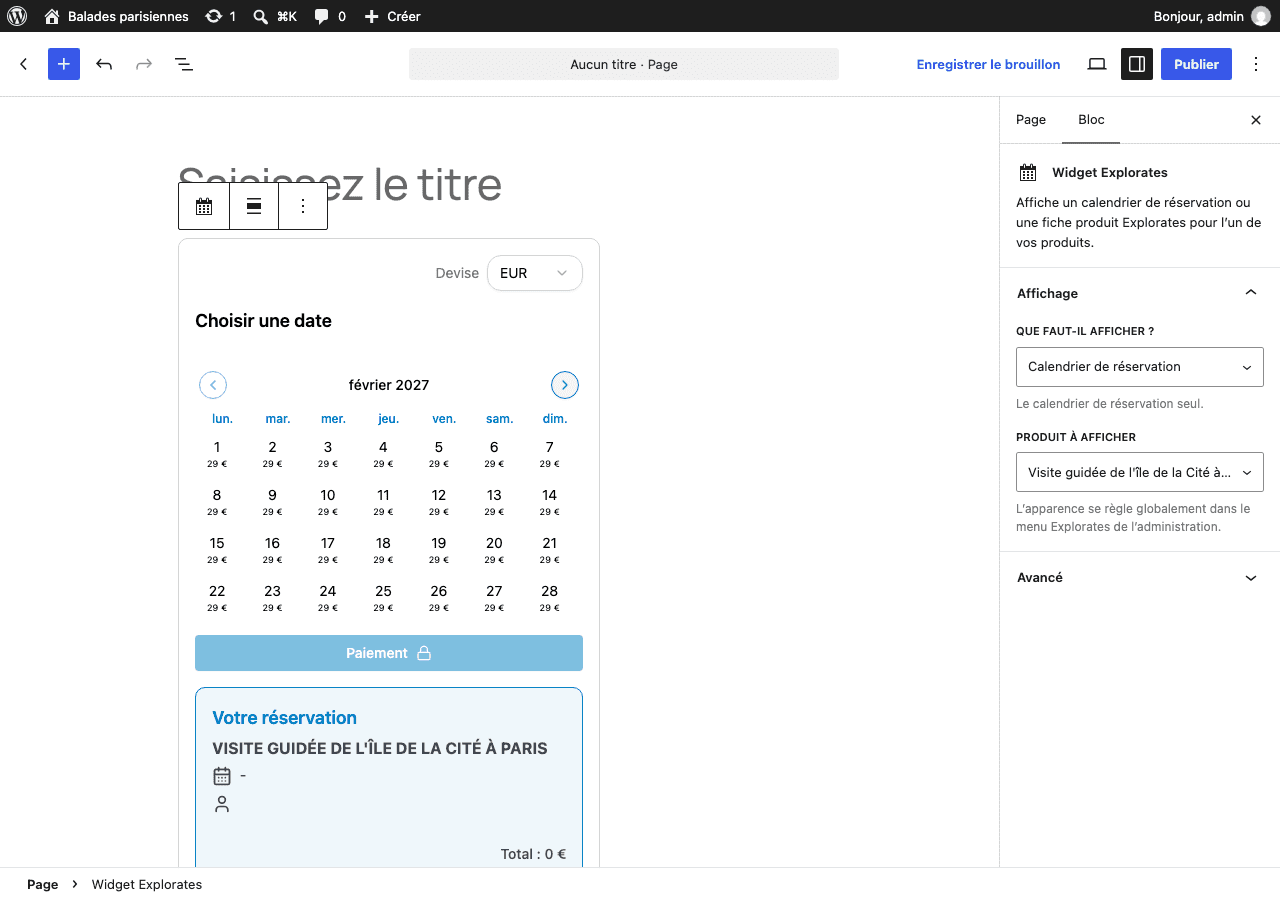
Two display modes: calendar only or full product page
- The booking calendar: it displays availability and takes bookings. Ideal beneath your own description of the activity.
- The product page: photos, description, pricing and booking, exactly as you entered them in Explorates. A single block is all you need for a complete page — no rewriting anything in WordPress.
A plugin built for activities
Most WordPress booking plugins are designed for appointments: hair salons, consultations, clinics… Explorates was built from the ground up for guided tours, workshops, parks and ticketing. So you get exactly what your business needs:- time slots with a capacity per departure
- pricing by participant category (adult, child, group…)
- online payment and multi-currency sales
- product pages translated into multiple languages
- a single calendar that you can also connect to GetYourGuide, Viator and other resellers
Styled to match your site
Primary colour, border, language (French or English), first day of the week, price shown on each day of the calendar: everything is set once and for all, with a live preview in the plugin settings.Lightweight, with no extra extensions required
- No WooCommerce needed: booking and payment are handled by Explorates.
- Your products update automatically in WordPress: a change made in Explorates appears there within an hour, or immediately from the plugin settings.
- Compatible with the block editor, the classic editor, widget areas and most page builders.
The plugin is free: download Explorates Booking on wordpress.org.